 ServeMon
macOS 14+ · Menu bar app
Is Postgres actually up?
One panel for the backing services you run locally: Postgres, Redis, MySQL, MongoDB, and whatever your Docker runtime is running. Each one probed at the protocol level, with its version, port, data directory, log, and a connection string ready to copy.
14-day unrestricted trial. No account. One license, three Macs, a year of updates.
$ brew tap suresk/tap
$ brew install --cask suresk/tap/servemon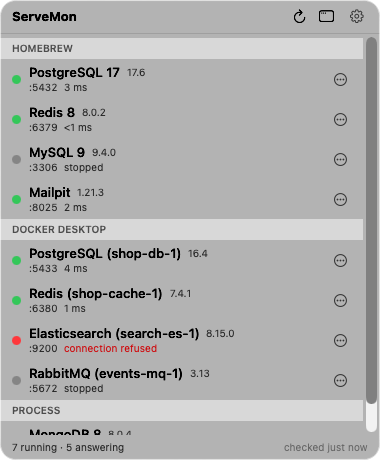
Redis PING, the Postgres startup handshake, the MySQL handshake packet. A port that accepts connections is not the same as a database that answers.
Reads the launchd plists Homebrew installs and talks to the container engine over its socket. It never runs brew or docker to find out what is there.
Two calls leave your Mac: license validation and update checks. The probes go to services on this Mac and nowhere else.
The list
One list for every source
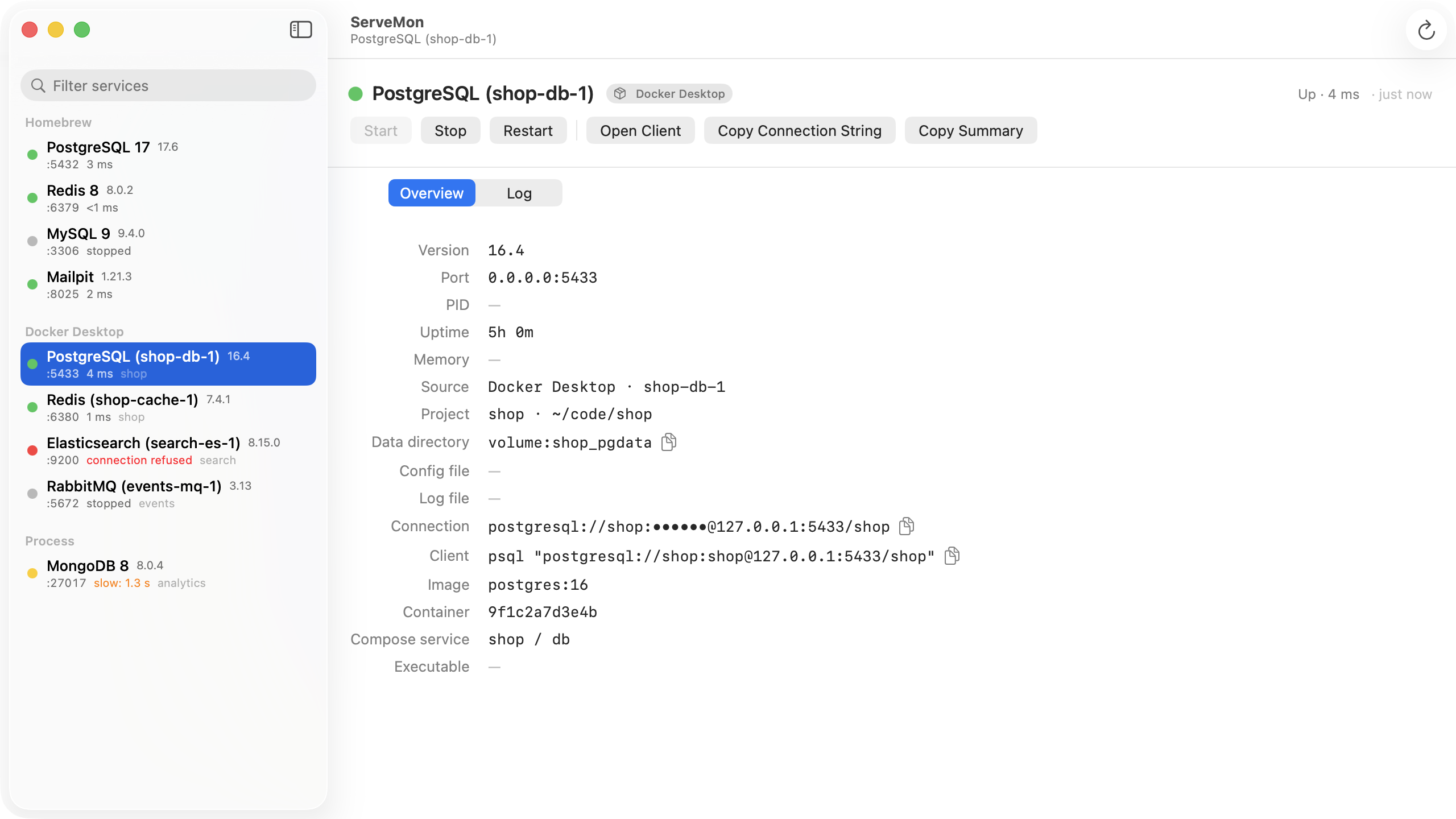
Postgres from Homebrew, Redis from a Compose stack, a second Postgres in Postgres.app, a MongoDB somebody started from a tarball. ServeMon finds them by process, by Homebrew plist, by container image, and by app bundle, and puts them in one list, grouped by where they came from. Stopped Homebrew services and exited containers are listed too, so the thing you forgot to start is still on the screen.
Docker Desktop, OrbStack, Colima, and Podman are all read the same way: through the engine API over the socket.
The dot
Real health, not a port check
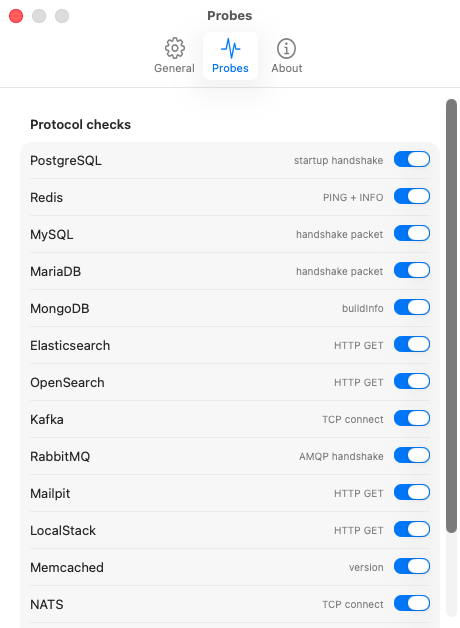
Every service gets a probe that speaks its protocol: PING for Redis, the startup message for Postgres, the handshake packet for MySQL and MariaDB, buildInfo for MongoDB, HTTP for Elasticsearch, Mailpit, LocalStack, and MinIO, the AMQP handshake for RabbitMQ. One connection, one message, then close. You see latency and when it was last checked.
Green means it answered. Yellow means something is listening but the answer was wrong or slow. Red means the process is running and not answering, which is the case a port check never catches. Each probe can be switched off in Settings.
The lookup
The details you keep looking up
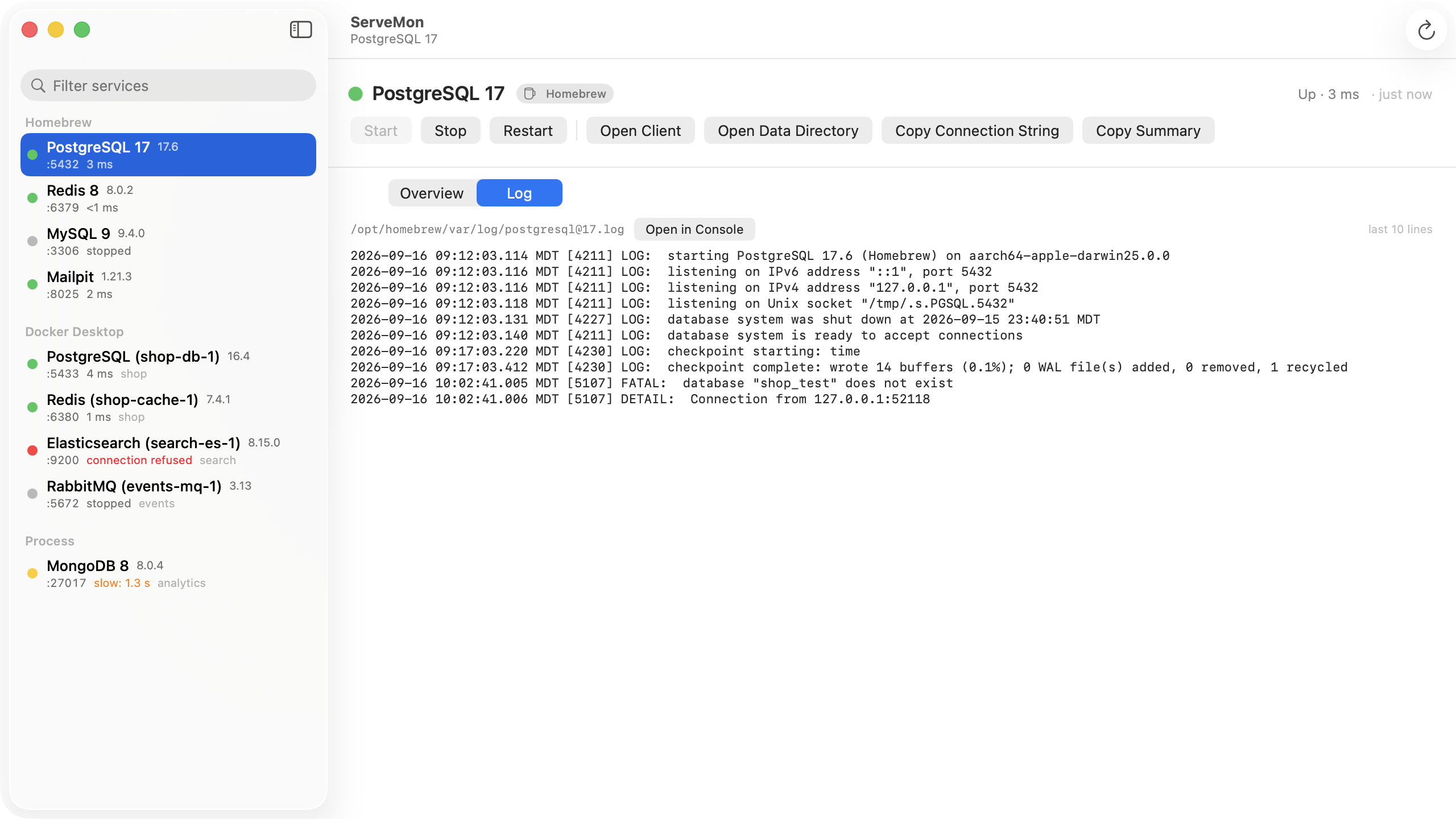
Version, port and bind address, PID, uptime, memory, data directory, config file, log file with a tail right in the window, and the Compose project or git repo that owns it. The connection string is one click to copy, with the password masked on screen. Copy Summary puts the whole thing on the clipboard as one line for Slack.
Start, Stop, and Restart go through whatever started the service: brew services, the container API, or a signal. Open Client launches psql, redis-cli, mysql, or mongosh in Terminal, already connected.
Why ServeMon is a direct download
It reads other processes
To know that the postgres on 5432 came from /opt/homebrew/Cellar/postgresql@17 with -D /opt/homebrew/var/postgresql@17, ServeMon reads other processes' paths, arguments, and sockets through libproc. The App Store sandbox forbids that.
It talks to the Docker socket
Containers come from the engine API over a Unix socket. Sandboxed apps cannot connect to it, so an App Store build would be blind to Docker Desktop, OrbStack, Colima, and Podman.
Nothing runs as root
There is no helper. Everything runs as you, the same as running brew services or docker ps yourself. The app is signed with a Developer ID and notarized by Apple; updates arrive through Sparkle.
Pricing
ServeMon
$29 one-time
- Every source, every probe, start/stop/restart, log tail, connection strings
- Three Macs per license, deactivate yourself
- Twelve months of updates included; $15 for another twelve, and the app keeps working if you skip it
- 14-day refund, no questions
Launch: 25% off with code LAUNCH25 for two weeks.
Try it first
14 days, everything unlocked, no account. When the trial ends, everything stays visible; Start, Stop, Restart, and Open Client need a license.
DownloadQuestions
brew services list already does this.
It lists what Homebrew installed, and it says started when launchd loaded the job, even if the process has since crashed, is stuck in a restart loop, or is up but refusing connections. It knows nothing about Docker containers, Postgres.app, or the binary you ran by hand. ServeMon lists all of those together and asks each one whether it actually answers.
OrbStack has a UI. So does Docker Desktop.
Yes, and they are good for containers. The problem ServeMon solves is the mixed case: your Postgres is Homebrew, your Redis is in a Compose stack, and the Kafka came from a tarball. One list, one set of health dots, one place to copy the connection string from, whichever way each service was started.
Does it touch my data?
No. ServeMon reads process arguments, Homebrew's plists, and the container API to find data directories, and shows you the paths. It never writes to a data directory or a config file. Stop and Restart run the same brew services or container commands you would run yourself.
What do the probes send?
One connection and one message per check: PING to Redis, a startup message to Postgres, nothing at all to MySQL (it reads the handshake the server sends first), a buildInfo command to MongoDB, one HTTP GET to the HTTP services, the protocol header to RabbitMQ. Then it closes. You may see one line per check in a verbose log; turn that service's probe off in Settings if you would rather not.
What happens when the trial ends?
You can still see everything: the list, the dots, every detail, the log tail, the connection strings. Start, Stop, Restart, and Open Client need a license. A license is $29 once and includes a year of updates; the app keeps working after that whether or not you renew.
Why not the App Store?
The sandbox forbids reading other processes and connecting to the Docker socket, and ServeMon needs both. Direct download, notarized by Apple, is the only way this app can exist. See Privacy for the two network calls it makes.